
Skip to content

Getting started

Solbeans is a free party game that runs in your browser. There is nothing to install and you do not need an account to play.

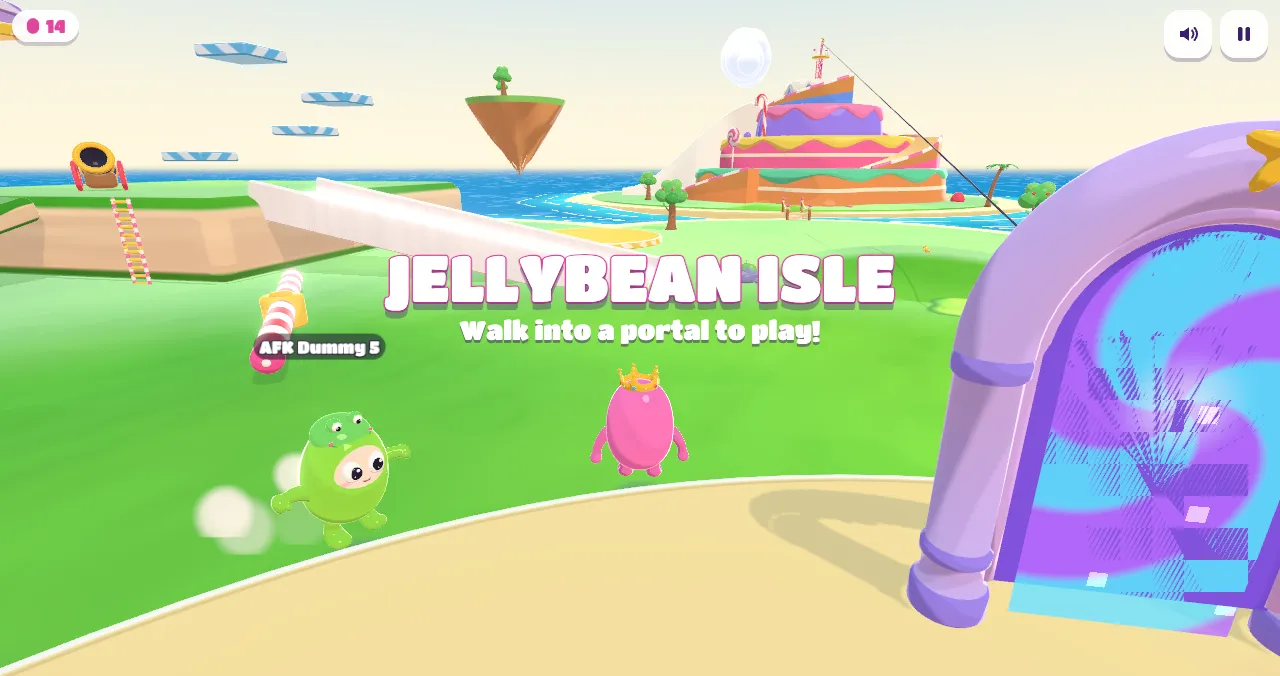
Beans on the hub plaza next to a glowing portal arch

  1. Open the game at the Play link at the top of this page. It works in Chrome, Edge, Firefox and Safari.
  2. Pick a name, a colour and a hat on the title screen. You can change them any time.
  3. Choose Play Online. You land on Jellybean Isle, the hub island, with everyone else who is online.
  4. Walk into a portal on the plaza when you want to play a show. The show fills up with up to 40 beans (bots take any empty spots), and the first round starts in a few seconds.

On a phone

Turn your phone sideways. Drag anywhere on the left half to move, drag on the right half to look around, and use the big Jump, Dive and Grab buttons. A recent phone gives the smoothest ride; the game lowers its graphics automatically on slower devices.

On a computer

Move with W A S D, jump with Space, dive with Shift, grab with E. Click the game to lock the mouse for looking around; Esc gives the mouse back. Gamepads work too.

See Controls for every key and button, and Moves for what your bean can do.

  • Solbeans needs WebGL 2. Update your browser, and make sure hardware acceleration is switched on.
  • On iPhone, use Safari or any browser that is up to date with iOS.
  • If the game says it cannot reach the server, wait a moment and try again: during updates the servers restart for a few seconds. You can always play the offline sandbox meanwhile.
  • Set Quality to Low in Settings if the game stutters.